The Creators Academy
Now enrolling

Become a UX Designer
who can solve real problems.

Whether you're starting from scratch, switching careers or already learning UX on your own, this live UI/UX design course takes you through the complete UX process. Learn user research, design thinking, human psychology, problem solving, UI design and validation with guidance and feedback from an experienced mentor.


Next Cohort
—
Cohort Size
30 Only
Live Sessions
36+

Loved by 300+ creators

Across 3 Countries
4.9/5
Average Rating from Learners

Trusted by creators from

Jio
PwC
BrowserStack
Procol
SonyLIV
Deloitte
Bajaj Finserv

Go beyond Figma.
Learn the skills that make you a better UX Designer.

UX is more than UI screens. In this UX design course, learn to understand users, frame problems, apply design thinking, understand human psychology, explore solutions, validate ideas and make better design decisions.

Learn how AI can help you do UX design work better and faster.

Course Starts
Coming soon
0
Seats Left
0+
Live Sessions
The old path doesn't work anymore

Learning UX the old way
will leave you behind.

Figma tutorials and recorded courses can teach you the tools. They do not teach you how to think like a UX Designer. This live UI/UX design course teaches the complete UX process, helps you solve real problems, gives you mentor feedback and shows how AI fits into modern UX work.

Learn together.
Grow together.

Connect with fellow UX design learners, alumni and mentors through community sessions, discussions and shared experiences. Your learning should not stop when the class ends.

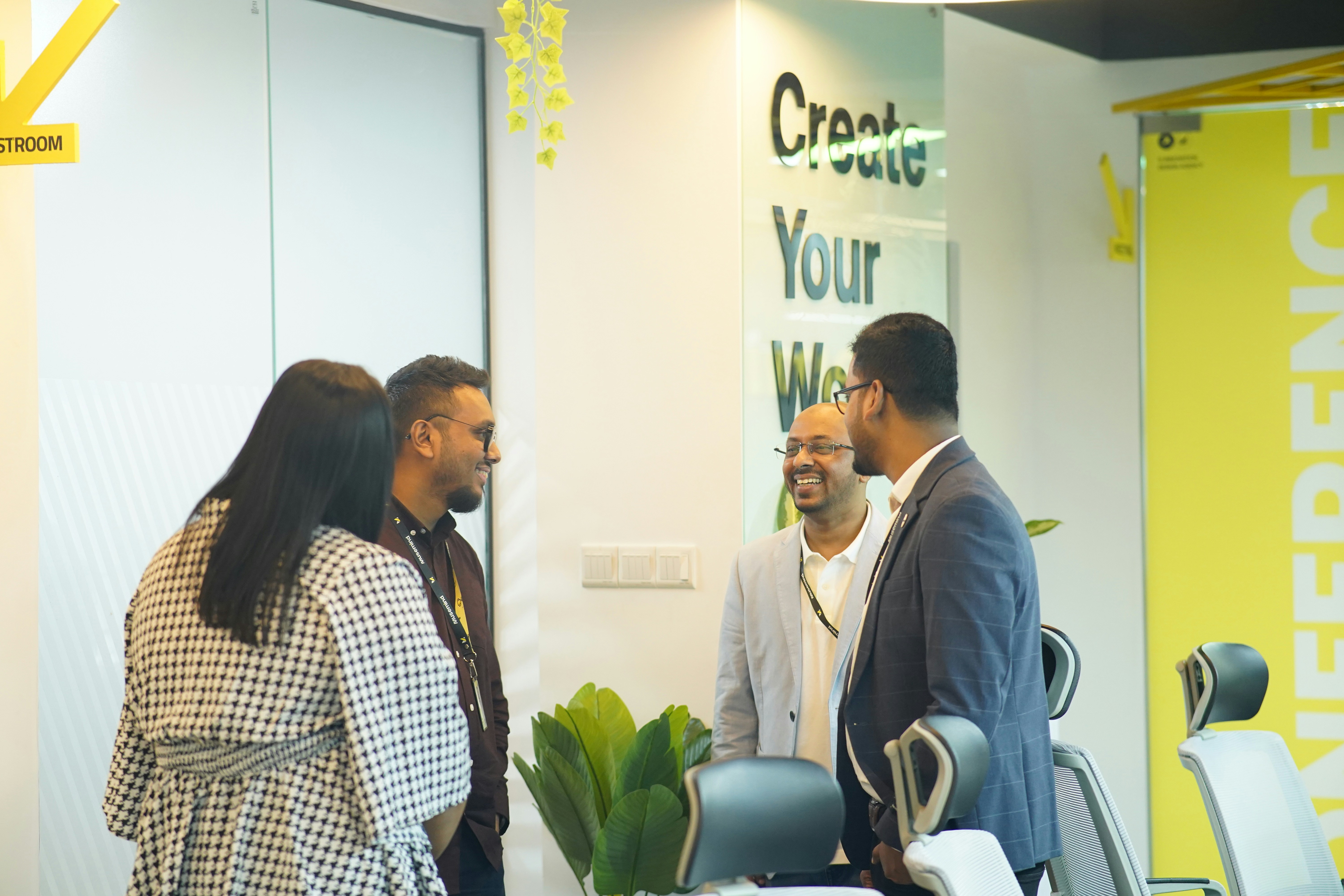
A mentee smiling during an in-person workshop
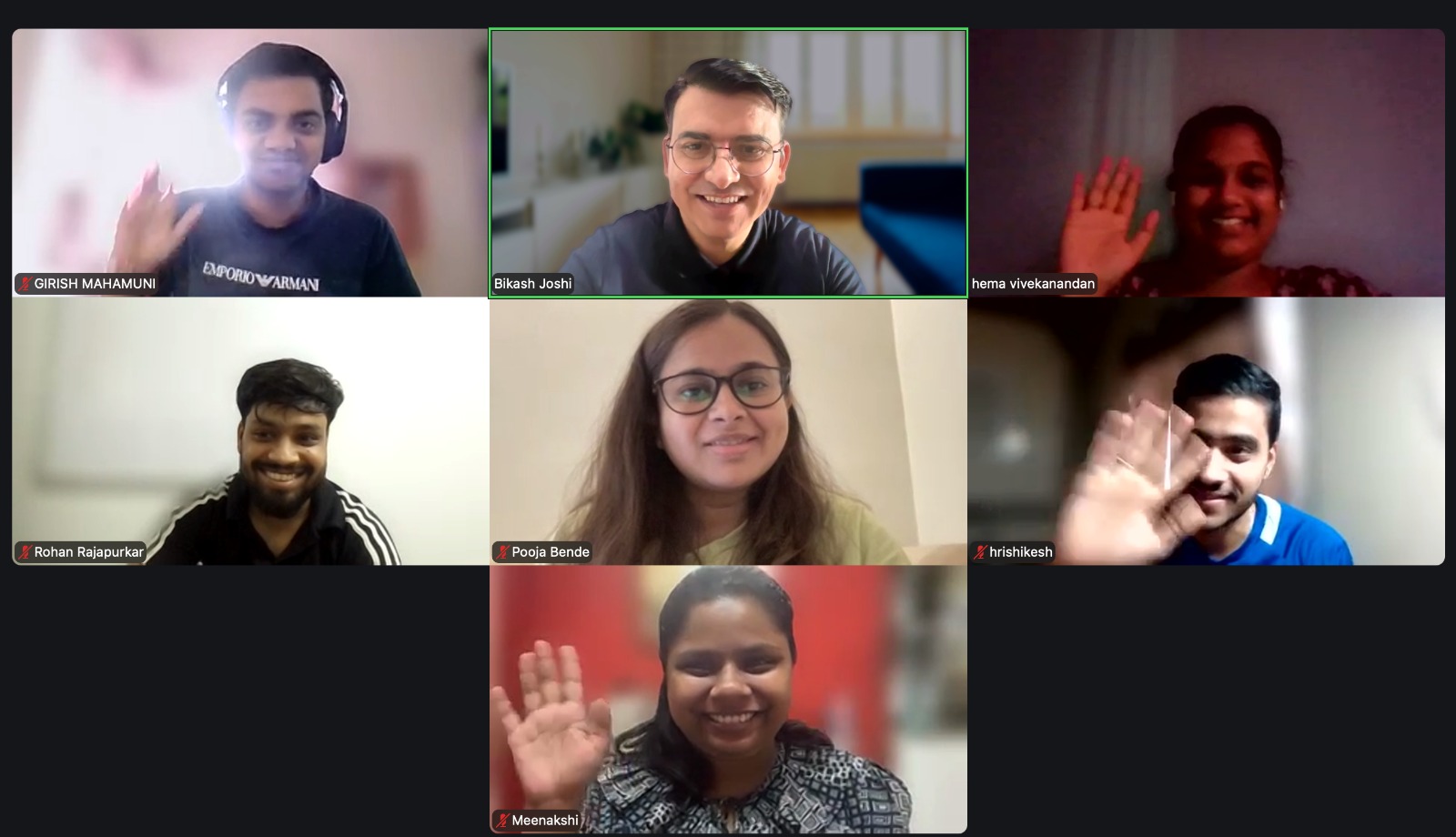
Live mentor-led session on video call
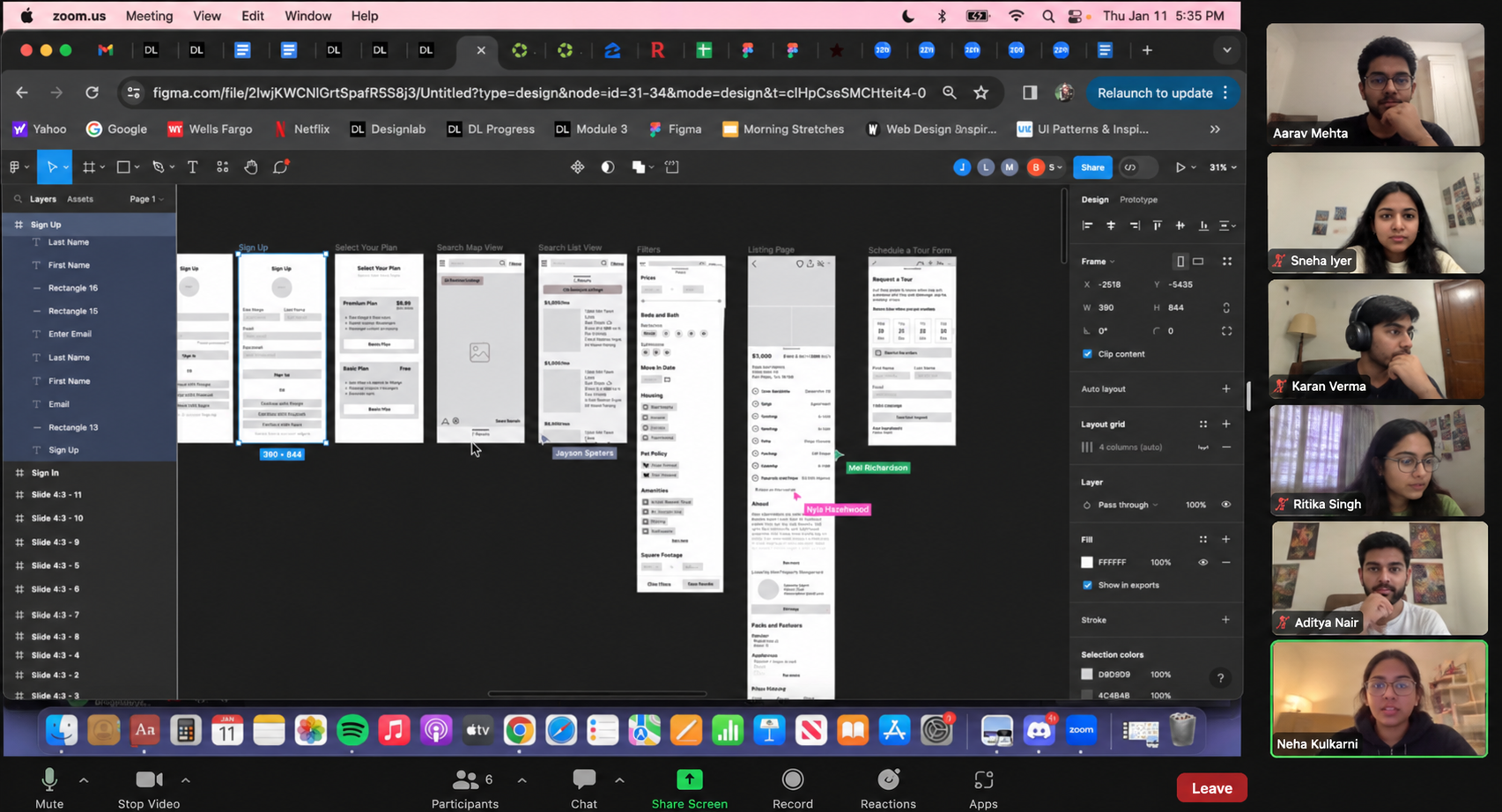
Learners working in Figma during a live online class
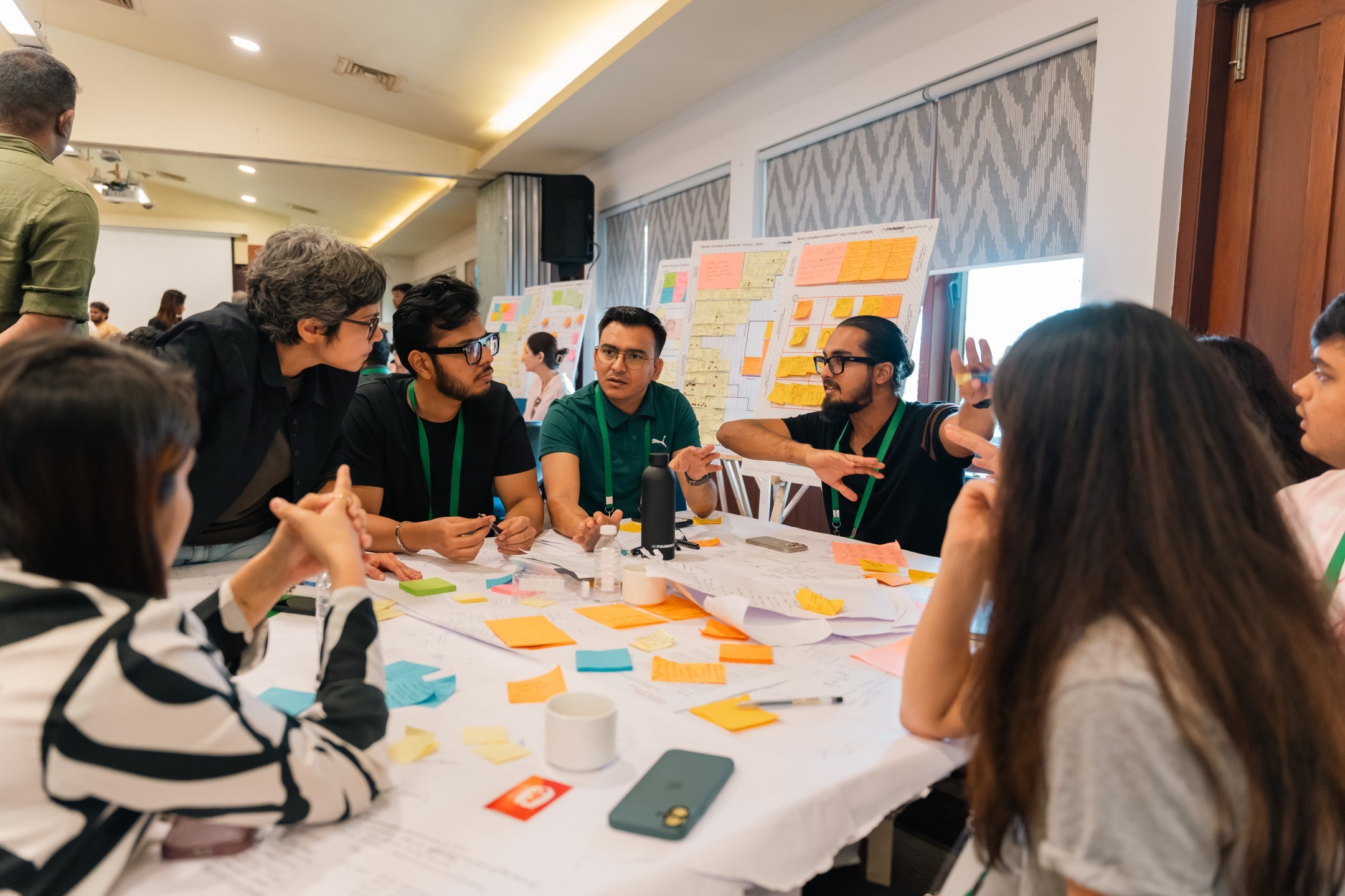
Learners and mentors collaborating around a workshop table
Learners chatting at an offline community meetup
A group of learners laughing together during a session

The Advantage of Becoming
an AI-Driven UX Designer

See how an AI-driven UX design course takes you beyond tools and into the complete UX process.

Figma-only Designer

Only know how to create screens in Figma.

Starts designing before fully understanding user needs.

Has limited practice with user research and usability testing.

Focuses on deliverables more than design decisions.

Uses AI for output without always knowing what to improve.

Shows screens in a portfolio but not the full problem-solving process.

Limited product ownership. Harder to stand out.

The AI-Driven UX Designer

Understands users, owns the process and improves the outcome.

Researches users before designing solutions.

Frames the right problem and explores multiple directions.

Uses AI to research, ideate and prototype with judgement.

Tests ideas and improves designs using evidence.

Builds UX case studies that show the journey from problem to solution.

Thinks better. Works faster. Has more to show.

Go beyond designing screens.

Learn to think, build and ship with AI.

Meet your mentor

Learn from someone who's actually built real products.

Bikash Joshi
Lead Mentor

Bikash Joshi

Product Leader & UX Practitioner

Bikash is a Product Leader and UX Practitioner with 12+ years of experience building digital products, leading cross-functional teams and mentoring aspiring Product Managers and Designers. Having mentored 100+ professionals, he helps learners bridge the gap between theory and real-world execution through practical projects, portfolio reviews and career guidance.

Highlights

12+ years of product-building experience
100+ mentees across Product & Design
Product leader, designer and builder

Worked With

dMACQJioMcKinseyIntegreonMTS

Products Built & Led

How it works

Learn. Practise. Get feedback.
Build something you're proud of.
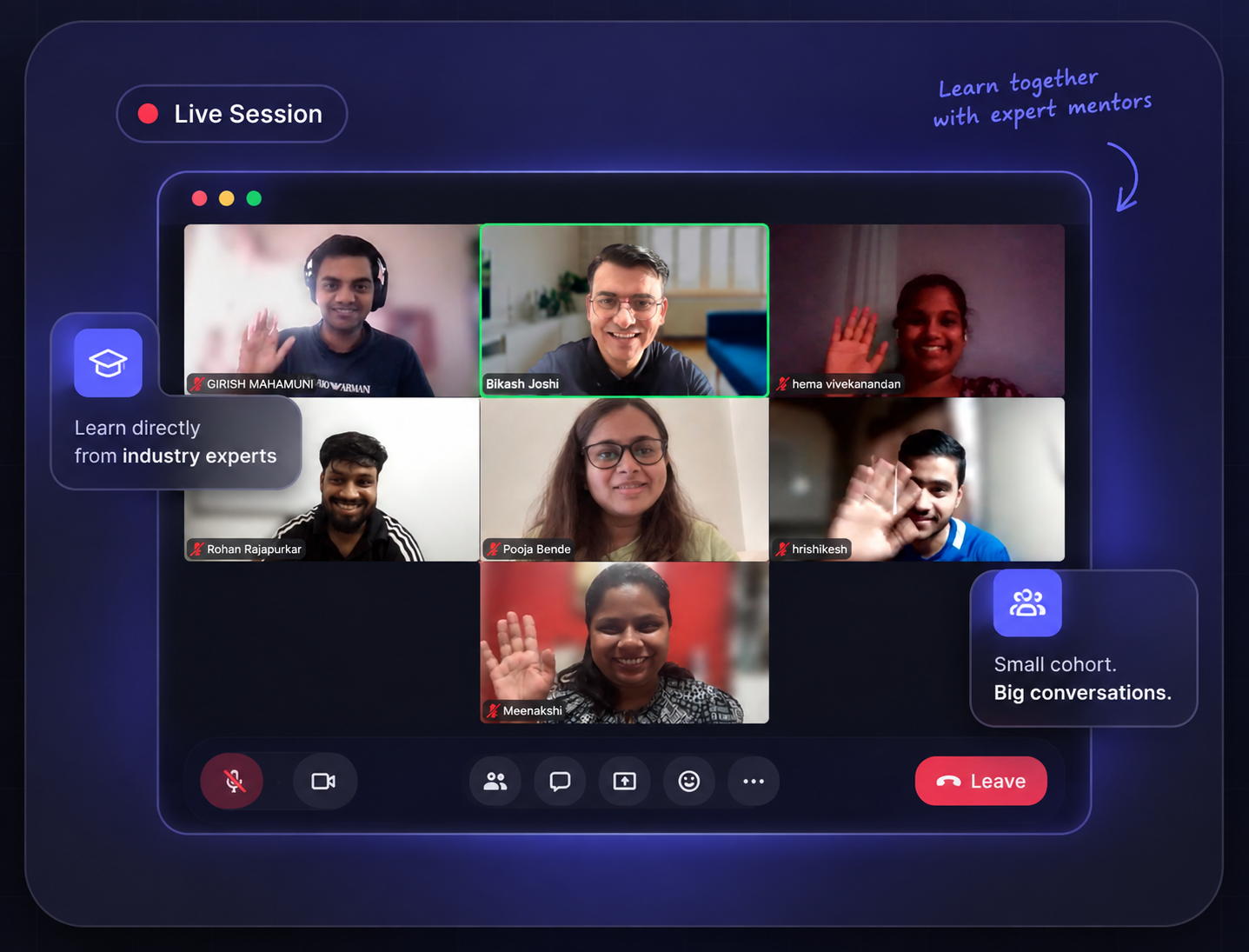
01 / 04 · Learn
Live Session
01 · Learn

Learn the UX fundamentals

Build a strong foundation in UX design, user research, human psychology and problem solving before you touch the tools.
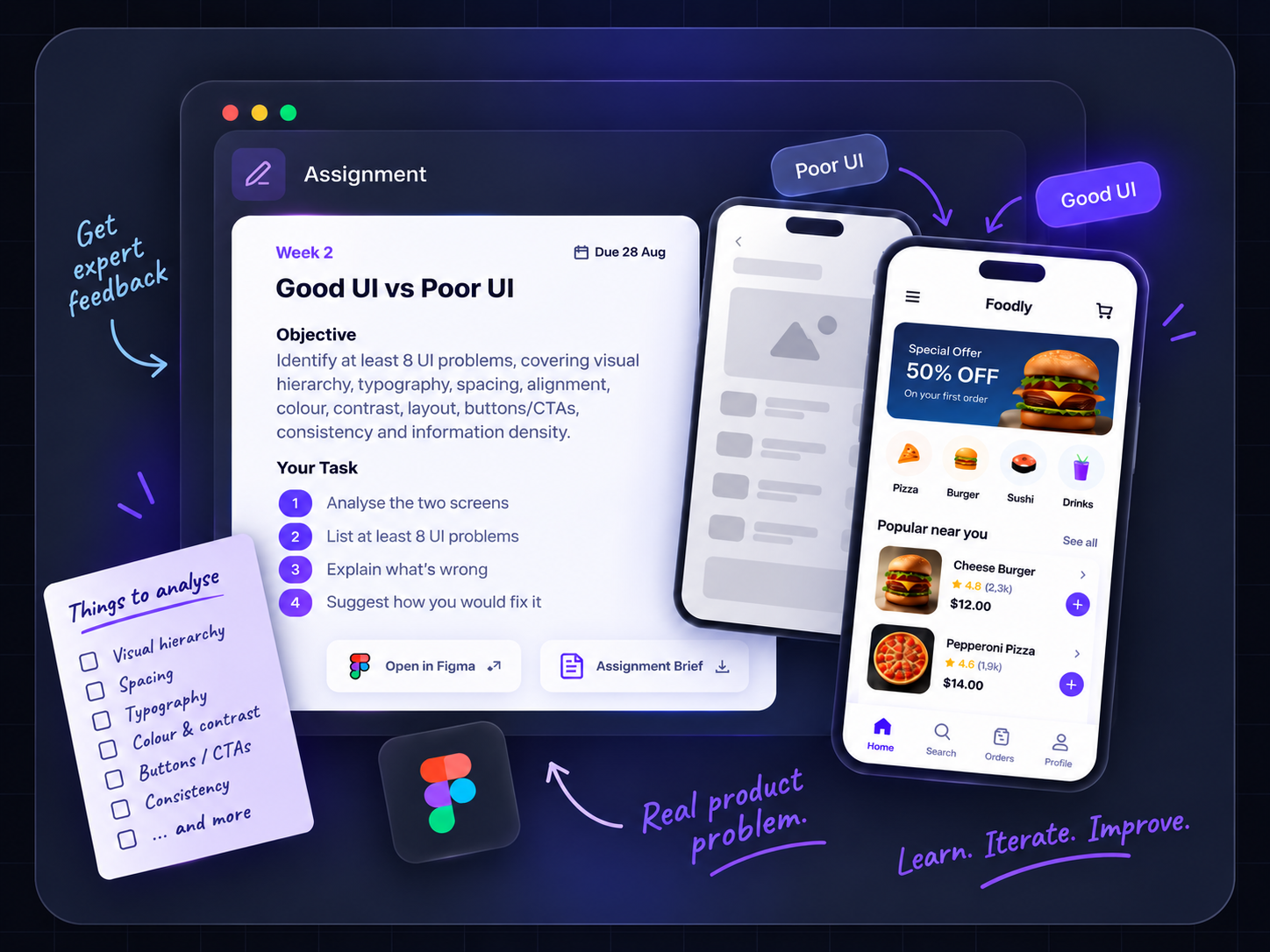
Assignment
02 · Practice

Work on real problems

Apply your UX design skills through practical product assignments. Research user needs, solve real problems and turn your ideas into better product experiences.
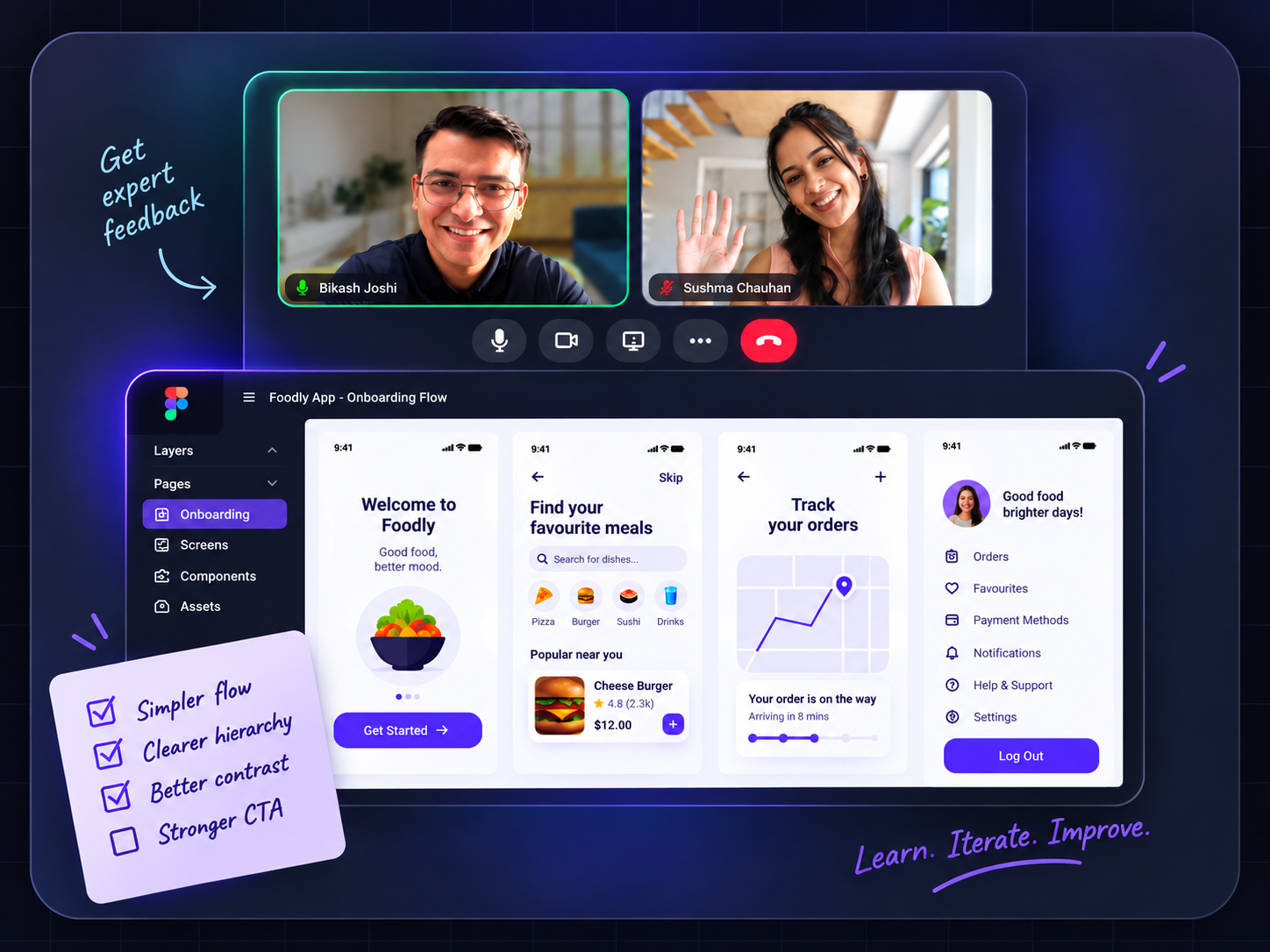
Mentor Review
03 · Improve

Get feedback from experts

Get practical feedback from industry mentors, improve your UX design work and make stronger decisions with every iteration.
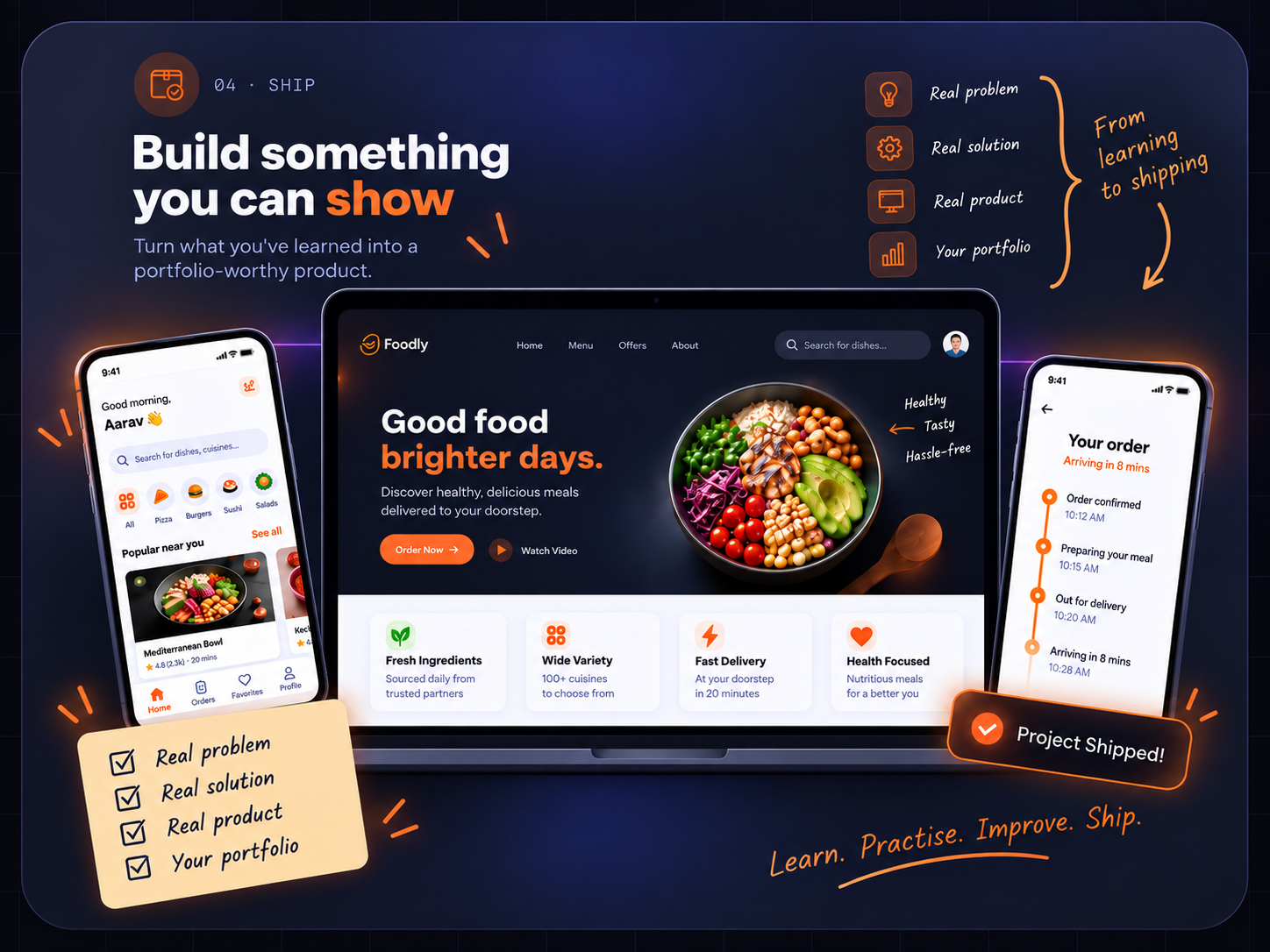
Finished Product
04 · Ship

Build something you can show

Turn your UX design work into a portfolio-ready project that shows how you think, solve problems and improve product experiences.

What his mentees say

Don't take our word for it. Hear it from his mentees.

Photo
Navin Mishra
Navin Mishra
LinkedIn
Product Designer
Jio
Mentored by Bikash Joshi
★★★★★

I had the opportunity to work with Bikash for over three years, and he played a key role in shaping my growth as a designer. His mentorship went beyond design reviews—he taught me how to think critically, solve the right problems, and always put users first. The lessons I learned from him continue to influence my work today.

Photo
Mayank Parab
Mayank Parab
LinkedIn
Senior Product Designer
BrowserStack
Mentored by Bikash Joshi
★★★★★

Bikash didn't just mentor me in building products, he helped shape how I think. He encouraged me to look beyond execution, understand the real problem, and stay grounded in the user's perspective. That shift continues to influence how I approach decisions and solve problems.

Photo
Ashraf Shaikh
Ashraf Shaikh
LinkedIn
UX Designer
PwC
Mentored by Bikash Joshi
★★★★★

Bikash helped me stop designing screens and start solving real problems. His guidance transformed my portfolio and boosted my confidence during interviews.

Photo
Shravan Tiwari
Shravan Tiwari
LinkedIn
Procol
Mentored by Bikash Joshi
★★★★★

Bikash pushed me to think beyond the screen — questioning assumptions, grounding decisions in real user insight, and defending design choices with clear reasoning, not just taste. That shift in how I approach problems has stayed with me well beyond our sessions together.

Photo
Divyansh Pandey
Divyansh Pandey
LinkedIn
Product & Web Designer
Oliv
Mentored by Bikash Joshi
★★★★★

Bikash bridges the gap between theory and real-world practice. His feedback improved my portfolio, sharpened my thinking, and gave me the confidence to succeed in interviews.

Photo
Navin Mishra
Navin Mishra
LinkedIn
Product Designer
Jio
Mentored by Bikash Joshi
★★★★★

I had the opportunity to work with Bikash for over three years, and he played a key role in shaping my growth as a designer. His mentorship went beyond design reviews—he taught me how to think critically, solve the right problems, and always put users first. The lessons I learned from him continue to influence my work today.

Photo
Mayank Parab
Mayank Parab
LinkedIn
Senior Product Designer
BrowserStack
Mentored by Bikash Joshi
★★★★★

Bikash didn't just mentor me in building products, he helped shape how I think. He encouraged me to look beyond execution, understand the real problem, and stay grounded in the user's perspective. That shift continues to influence how I approach decisions and solve problems.

Photo
Ashraf Shaikh
Ashraf Shaikh
LinkedIn
UX Designer
PwC
Mentored by Bikash Joshi
★★★★★

Bikash helped me stop designing screens and start solving real problems. His guidance transformed my portfolio and boosted my confidence during interviews.

Photo
Shravan Tiwari
Shravan Tiwari
LinkedIn
Procol
Mentored by Bikash Joshi
★★★★★

Bikash pushed me to think beyond the screen — questioning assumptions, grounding decisions in real user insight, and defending design choices with clear reasoning, not just taste. That shift in how I approach problems has stayed with me well beyond our sessions together.

Photo
Divyansh Pandey
Divyansh Pandey
LinkedIn
Product & Web Designer
Oliv
Mentored by Bikash Joshi
★★★★★

Bikash bridges the gap between theory and real-world practice. His feedback improved my portfolio, sharpened my thinking, and gave me the confidence to succeed in interviews.

Tools you'll master

Master the UX design tools the next-gen UX Designer actually uses.

Explore the UX design and AI tools modern product teams use to move from user research to a shipped product.

The tools you'll actually use
Figma
Miro
ChatGPT
Claude
Lovable
Replit
NanoBanana
Amplitude
MixPanel
Maze
UserTesting

How an AI-Driven UX Designer actually works

Research & Synthesis
UserTesting / ChatGPT / Claude
Ideation
Miro / Figjam
Wireframing
Whimsical / Figma Make / Claude Design / Lovable / Replit
Prototyping
Figma Make / Claude Design / Lovable / Replit
Design Systems
Figma / Claude Design
UI Design
Figma / Claude Design
Image & Illustration Creation
ChatGPT / NanoBanana
User Testing
UserTesting / Maze
Product Analytics
Amplitude / MixPanel

Final tool list confirmed before start — we teach what you'll genuinely use.

Program at a glance

Everything you need to become a better UX Designer.

01

Complete UI/UX curriculum

Go beyond Figma and learn the complete UX design process, from user research and psychology to problem solving, UI design and validation.

02

Live, mentor-led sessions

Learn UX design in real time with your mentor, ask questions and work through product problems together.

03

Real project work

Work on a real product problem and build a portfolio-ready UX case study from research to final design.

04

1:1 with your mentor

Get dedicated mentor feedback to discuss your work, clear doubts and understand how to improve your UX design decisions.

05

AI throughout the process

Learn how to use AI across UX research, ideation, UI design, prototyping and your everyday UX workflow.

06

Career support

Get support for your UX portfolio, case studies, resume, LinkedIn and UX interviews.

12 weeksStructured program
Live & Mentor-ledAll sessions live
30 learnersPer cohort

Duration and exact dates confirmed with enrolled members before start.

What you'll learn

Our AI-Driven UX Designer Course Curriculum

What is Design? (definition, good vs bad design, design around us)
What is UX Design? (definition, UX vs UI, why UX matters, good & bad UX)
Roles in UX (UX Researcher, UX Designer, UI Designer, Interaction Designer, Content Designer, UX Writer, Design System Designer, UX Manager)
Components of UX (research, strategy, IA, interaction, UI, accessibility, UX writing, usability)
FoundationsUX vs UIRoles
How People Perceive (attention, perception, visual processing, recognition)
How People Think (mental models, memory, cognitive load, decision making)
How People Behave (motivation, habits, expectations, errors)
Psychology in Design (how human behaviour influences UX decisions)
PsychologyBehaviourCognitive Load
Affordances & Signifiers (what users can do and how the interface communicates it)
Feedback & Constraints (helping users understand actions and limiting errors)
Mental Models & Mapping (how users understand and predict interactions)
Gulf of Execution & Evaluation (the gap between intention, action and understanding)
Friction & Errors (intentional friction, unintentional friction and designing for mistakes)
Discoverability & Scannability (helping users find and understand information quickly)
UX PrinciplesBehaviourUsability
Business & User Goals (understanding what the business and users need)
Problem Statements (turning observations into clear problems)
Jobs & Tasks (understanding what users are trying to accomplish)
Value Proposition (why the product should exist for the user)
Success Metrics (how we know whether the solution worked)
Problem SolvingGoalsStrategy
Human-Centered Design (designing around people and their needs)
User-Centered Design (putting users at the centre of decisions)
Task-Centered Design (designing around what users need to accomplish)
The 5S Framework (Strategy, Scope, Structure, Skeleton & Surface)
Connecting the Layers (how product decisions move from strategy to interface)
UX Strategy5S FrameworkHCD
Why Research Matters (what research helps us understand)
Research Planning (research goals, questions and methods)
User Interviews (asking questions, listening and observing)
Surveys & Observation (when and how to use different research methods)
Stakeholder Interviews (understanding business and product context)
Competitor Research (learning from existing products and experiences)
AI-Assisted Research (using AI to support research without replacing judgement)
User ResearchInterviewsAI
Organising Research (sorting observations, quotes and findings)
Finding Patterns (identifying recurring behaviours and problems)
Insights & Opportunities (turning findings into useful design opportunities)
Personas & Empathy Maps (representing users and their needs)
User Journeys (mapping the user's experience)
HMW Statements (turning problems into opportunities)
InsightsPersonasUser Journeys
Design Thinking (Empathise, Define, Ideate, Prototype and Test)
Double Diamond (Discover, Define, Develop and Deliver)
Lean UX (assumptions, hypotheses, experiments and learning)
Choosing the Right Process (when and why to use different UX frameworks)
Adapting the Process (working with real-world constraints instead of following a framework blindly)
Design ThinkingDouble DiamondLean UX
What is Information Architecture? (organising information so people can find and understand it)
Content Structure (categories, hierarchy and relationships)
Navigation (navigation models, menus and wayfinding)
Labelling (clear names, terminology and language)
Search & Findability (helping users locate what they need)
Card Sorting (understanding how users group and organise information)
IANavigationFindability
User Flows (mapping the steps users take to complete a goal)
Task Flows (breaking complex tasks into simple actions)
Interaction Patterns (using familiar patterns to make interfaces easier to use)
States & Feedback (loading, success, error, empty and disabled states)
Forms & Inputs (making data entry clear and efficient)
UX Writing (labels, instructions, errors and action-oriented content)
Interaction DesignUser FlowsUX Writing
Generating Ideas (exploring multiple solutions before choosing one)
Ideation Techniques (brainstorming, sketching and structured ideation)
Evaluating Ideas (balancing user needs, business goals and constraints)
Prioritisation (deciding what to solve first)
AI-Assisted Ideation (using AI to explore possibilities and challenge assumptions)
Design Decisions (explaining why one solution is better than another)
IdeationProblem SolvingAI
Visual Hierarchy (guiding attention through size, position and emphasis)
Typography (typefaces, scale, readability and hierarchy)
Colour (meaning, contrast, accessibility and visual emphasis)
Spacing & Layout (grids, alignment, proximity and consistency)
Visual Design Principles (balance, contrast, repetition and consistency)
Accessibility Basics (designing interfaces that more people can use)
UI FundamentalsVisual DesignAccessibility
Figma Fundamentals (workspace, frames, layers and basic tools)
Auto Layout (building flexible and responsive layouts)
Components & Variants (creating reusable interface elements)
Styles & Variables (managing design decisions consistently)
Design Libraries (reusing and maintaining UI elements)
Practical UI Design (turning UX decisions into polished interfaces)
FigmaComponentsAuto Layout
Why Prototype? (choosing the right level of fidelity for the problem)
Low-Fidelity Wireframes (exploring structure and ideas quickly)
High-Fidelity Prototypes (simulating realistic product experiences)
Interactions & Transitions (communicating how an interface behaves)
Prototype Testing (using prototypes to learn before building)
AI-Assisted Prototyping (using AI to explore and build ideas faster)
WireframingPrototypingInteraction
Why Test? (understanding whether a design actually works)
Test Planning (objectives, participants, tasks and scenarios)
Writing Test Tasks (creating realistic tasks without leading users)
Conducting Tests (observing behaviour, asking questions and listening)
Finding Usability Problems (identifying patterns and severity)
Iterating the Design (turning findings into design improvements)
Usability TestingValidationIteration
Nielsen's 10 Heuristics (evaluating usability using established principles)
Hick's Law (understanding choice and decision complexity)
Fitts's Law (understanding movement and target size)
Jakob's Law (using familiar patterns and expectations)
Miller's Law (understanding memory and information limits)
Other UX Laws (Peak-End Rule, Von Restorff Effect and practical applications)
HeuristicsUX LawsEvaluation
AI in UX (where AI can support the UX process)
Prompting for UX (writing useful prompts and giving AI the right context)
AI-Assisted Research (research planning, analysis and synthesis)
AI-Assisted Ideation (exploring ideas, alternatives and edge cases)
AI-Assisted Design (wireframes, UI exploration and prototypes)
AI for UX Writing (content, microcopy and variations)
Critiquing AI Output (spotting weak ideas, bias and inaccurate assumptions)
Building Your AI Workflow (creating a practical AI-assisted design process)
AI for UXPromptingAI Workflow
What is a Design System? (why teams create and use design systems)
Foundations (colour, typography, spacing, grids and other core decisions)
Components (buttons, inputs, navigation and reusable UI elements)
Patterns (combining components into common product experiences)
Design Tokens (capturing design decisions for consistency and scale)
Maintaining Systems (documentation, governance and evolution)
Design SystemsComponentsTokens
Features & Requirements (turning product needs into design problems)
User Stories & Acceptance Criteria (understanding what needs to be built)
Working with Product Teams (collaborating with PMs and stakeholders)
Working with Developers (technical constraints, handoff and collaboration)
Design Handoff (communicating designs and interaction details)
Analytics & Experiments (using product data to learn and improve)
Launch & Continuous Improvement (designing beyond the first release)
Product DesignCollaborationHandoff
Building a UX Portfolio (what to show and how to structure your work)
Writing Case Studies (showing the problem, process, decisions and outcome)
Presenting Your Work (telling a clear story and defending design decisions)
Resume & LinkedIn (positioning your experience and skills)
UX Interviews (portfolio reviews, design questions and problem solving)
Personal Branding (building visibility and credibility)
Career Roadmap (planning your next step in UX)
PortfolioInterviewsCareer
Choose the Problem (identify and frame a meaningful product problem)
Research Plan (define research goals, questions and methods)
User Research (conduct interviews and gather evidence)
Research Synthesis (identify patterns, insights and opportunities)
User Journey (map the current experience and pain points)
Problem Definition (create the problem statement and HMW opportunities)
Mentor Review (present your thinking and receive feedback)
CapstoneResearchProblem Definition
Ideation (explore multiple solutions to the problem)
Information Architecture (organise the product experience)
User & Task Flows (define how users move through the experience)
Wireframing (explore structure and interactions)
UI Design (create the final interface)
Prototyping (make the solution interactive)
AI-Assisted Design (use AI throughout the design process)
Mentor Review (review decisions and improve the solution)
CapstoneDesignPrototyping
Usability Testing (test the solution with users)
Analyse Feedback (identify problems and opportunities)
Iterate the Design (improve the solution based on evidence)
Build the Case Study (document the problem, process and decisions)
Prepare the Presentation (create a clear story for Demo Day)
Rehearse & Refine (practice presenting and defending your work)
Final Mentor Review (receive feedback before Demo Day)
TestingIterationCase Study
Present the Problem (explain the context and why it matters)
Show the Process (research, insights, decisions and iterations)
Present the Solution (walk through the final experience)
Defend Your Decisions (explain the thinking behind the design)
Show What You Learned (reflect on the process and outcomes)
Mentor & Industry Feedback (receive feedback on your work)
Graduation (complete the program and receive your certificate)
Demo DayPresentationGraduation

Create a compelling UX Portfolio

Apply your UX design skills to solve real product problems with expert mentor guidance and build a UX portfolio you will be proud to show.

Netflix — Improve content discovery and reduce early drop-offs for new viewers.
What you'll do
Research
Analyse
Redesign
Validate
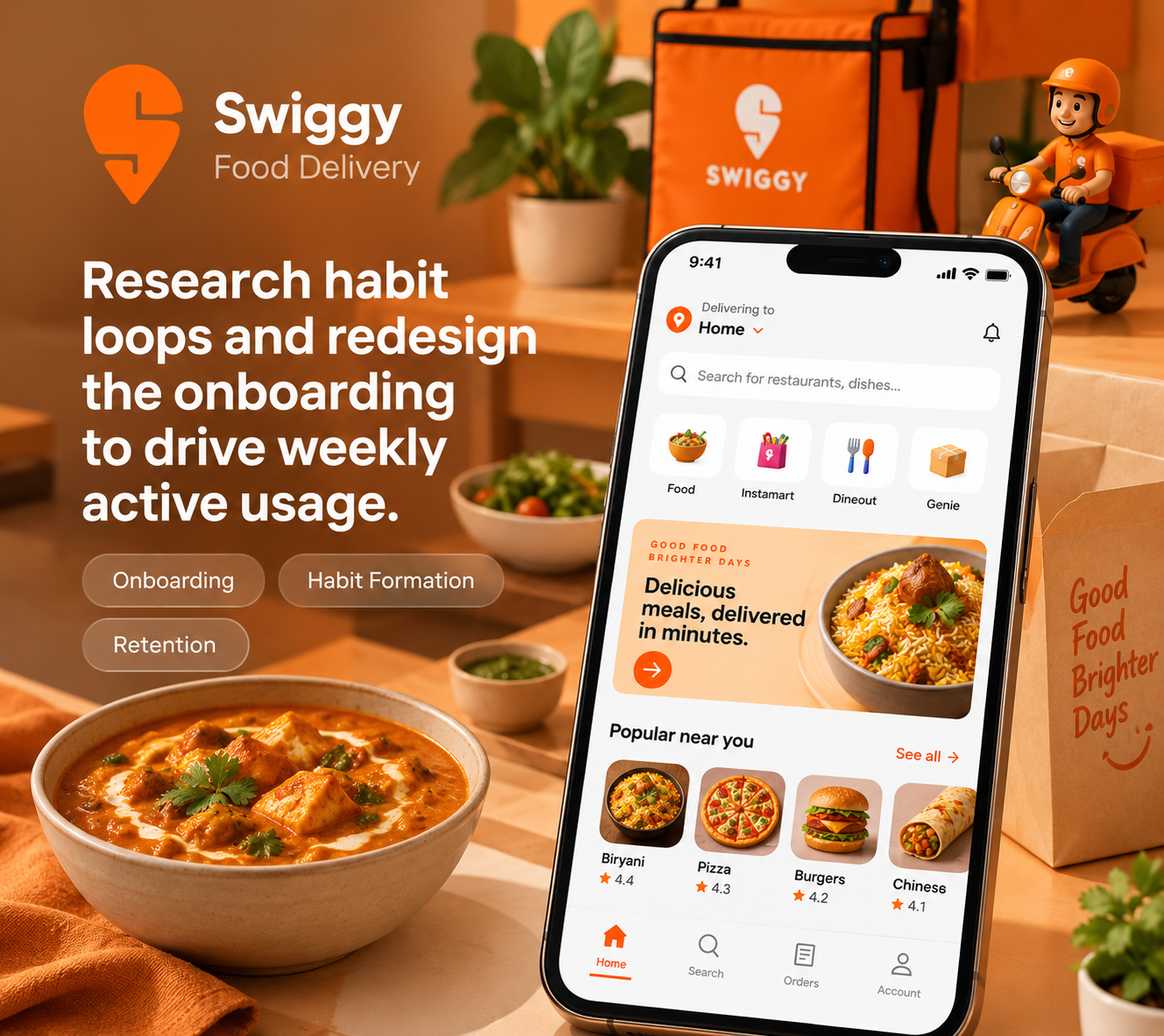
Swiggy — Research habit loops and redesign the onboarding to drive weekly active usage.
What you'll do
Research
Define
Design
Test
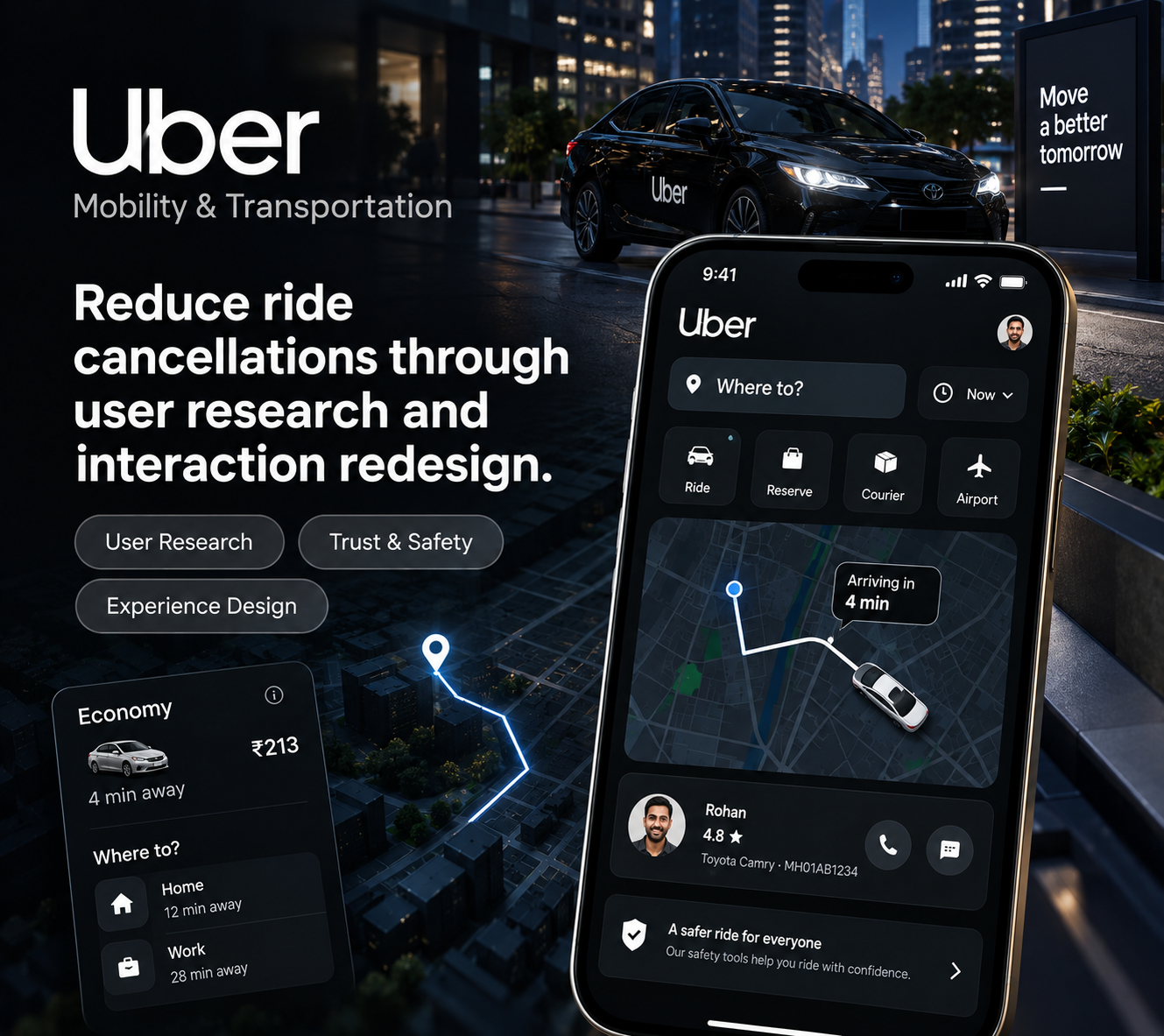
Uber — Reduce ride cancellations through user research and interaction redesign.
What you'll do
Research
Ideate
Redesign
Validate

Ready to build your UX portfolio?

Your credential

Your certificate says you completed it.
Your work shows what you can do.

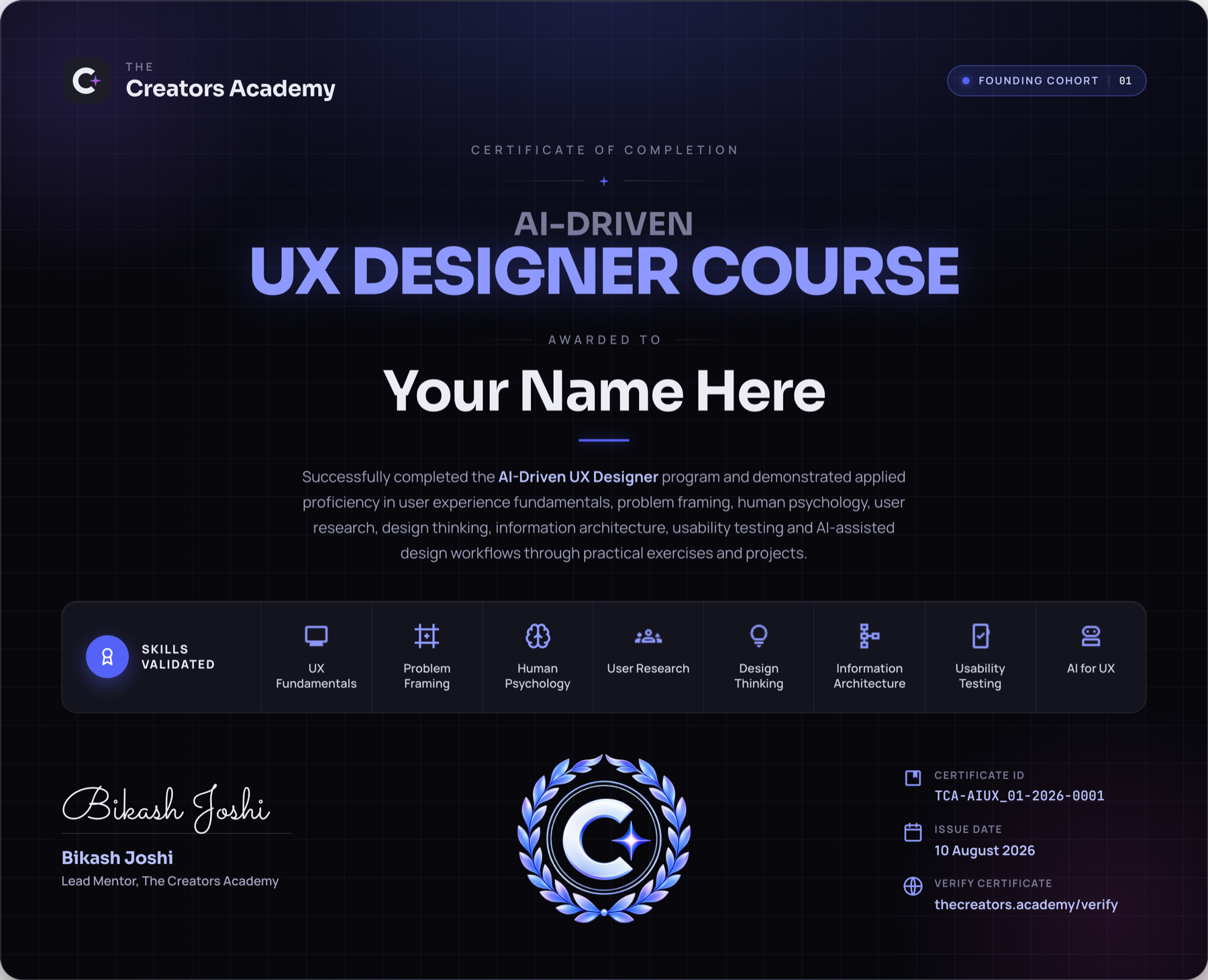
Complete this UI/UX design course with a real UX case study, reviewed and refined with your mentor. You will also receive a Certificate of Completion that recognises your progress and portfolio-ready work.
Portfolio-ready UX case study
Mentor-reviewed work
Certificate signed by your Lead Mentor
Shareable on LinkedIn and in your UX portfolio
AI-Driven UX Designer Certificate
How your week looksTentative

Your weekly UX design course schedule.

See how live UX design sessions, mentor support and practical assignments fit into each week. Final timings are confirmed before the course begins.

Core session
Live, mentor-led UX learning
Sat & Sun8:00–11:00 AM IST
Learn the week's core UX design concept and framework
Understand how the concept applies to real product work
Receive the assignment and project brief for the week
Q&A session
Assignment clarification and mentor support
Wednesday8:00 PM IST
Get answers to questions about the week's assignment
Clarify concepts, expectations and deliverables
Resolve blockers before submission
Assignment
Hands-on application of learning
Due on Friday of the same weekAsync
Complete the design brief shared during the Core Session
Apply the week's UX design concepts to a practical challenge
Submit your work for mentor review and feedback

Provisional schedule — final times confirmed with enrolled members before start.

Career support

Build your UX portfolio.
Prepare for your next move.

Learning UX is one part of the journey. A strong UX portfolio shows how you think. Get practical support with case studies, professional positioning, career direction and UX interviews.

01

UX portfolio critique

Get structured feedback on your UX case studies, what works, what does not and what you can improve.

Stronger portfolio
02

UX professional positioning

Build a LinkedIn profile, UX portfolio and story that clearly communicate your skills and experience.

Stand out with confidence
03

UX career guidance

Understand your next step, the roles that fit your skills and how to position yourself for them.

Make informed decisions
04

UX interview prep

Practise presenting your UX portfolio, explaining your decisions and answering UX interview questions.

Face interviews with confidence

Only 30 learners per cohort.

We keep cohorts small so you get the attention, feedback and mentorship you need.

Limited seats. Don't miss out.
Honest fit

Is this program for you?

Whether you are starting from scratch, learning UX on your own or moving from another design field, this UI/UX design course is for people who want to learn UX properly, build real skills and get guided along the way.

01
New to UX Design
You want to enter UX design but do not know where to start. Learn the complete UX process instead of piecing it together from YouTube and random courses.
02
Self-taught designers
You have already learned Figma and some UX design. Now you want structure, feedback and an experienced mentor to help you improve.
03
Graphic and Motion Designers
You already know visual design. Now you want to understand users, solve product problems and own the full UX process.
04
Career changers
You are moving from another field and want to build UX design skills and a portfolio that help you move into UX.
05
Working Designers
You can design screens but want to get better at UX thinking, from user research and problem definition to validation and decision making.
06
People who want to learn with a mentor
You have tried learning alone. Now you want a clear path, live UX design sessions, regular feedback and 1:1 guidance.
Program fee

Invest in your UX career.
Not another online course.

12 weeks of live, mentor-led UI/UX design training to help you build the skills, confidence and portfolio to work as a UX Designer.

Loading pricing…

EMI option available in Payment Page Secure and hassle-free payment

Scholarships

We offer a limited number of scholarships to help make the program more accessible.

Scholarships can provide partial funding towards the program fee, based on your profile and circumstances.

Merit Scholarship

For learners who demonstrate strong potential and a genuine commitment to building a career in UX Design.

Need-Based Scholarship

For learners who are ready to learn but need financial support to make the program possible.

Women in Design Scholarship

For women looking to build or grow their career in UX Design and digital products.

Student Scholarship

For students who want to build practical UX skills and prepare for a career in the industry.

What's Next
Designer today. Engineer tomorrow.
Once you've built the design foundation, the UX Engineer track adds the build layer. You'll learn HTML, CSS, JavaScript and React — then use AI to write the code while you validate, direct and own the output.
FAQs

Good to know

UX (User Experience) Design is the process of creating products, services, and experiences that are useful, usable, and enjoyable for users. It focuses on understanding user needs and solving real-world problems through thoughtful design.

An AI-Driven UX Designer combines traditional UX skills with AI-powered tools to conduct research, generate ideas, create prototypes, and improve design workflows. AI helps designers work faster, but human creativity, empathy, and problem-solving remain essential.

Anyone can become a UX Designer regardless of their educational background. Students, working professionals, marketers, engineers, business professionals, and career switchers can all transition into UX Design.

Yes. This program is designed for complete beginners and does not require prior experience in design, technology, or coding.

No. Most employers hire UX Designers based on their skills, portfolio, problem-solving ability, and practical experience rather than a formal design degree.

No. Coding is not required to become a UX Designer. However, understanding basic web and mobile technologies can help you collaborate more effectively with developers.

You will learn User Research, Information Architecture, Interaction Design, UI Design, Prototyping, UX Writing, Accessibility, Usability Testing, Design Systems, and AI-powered UX workflows.

You will gain hands-on experience with industry-standard tools such as Figma, FigJam, Miro, AI-powered design tools, and other collaboration platforms commonly used by UX professionals.

The program covers the complete UX design process—from understanding users and defining problems to creating prototypes, designing interfaces, testing solutions, and building a professional portfolio.

Yes. You'll work on practical projects and case studies that simulate real-world product design challenges and help you build industry-relevant experience.

Absolutely. By the end of the program, you'll have portfolio-ready case studies that showcase your design thinking, problem-solving approach, and UX design skills.

Classes are held every Saturday and Sunday, with each session lasting approximately 3–4 hours.

Yes. The weekend schedule is specifically designed to accommodate students, freelancers, and working professionals.

We intentionally limit enrollment to 30 learners to ensure personalized mentorship, meaningful feedback, active participation, and a high-quality learning experience.

No. AI can automate repetitive tasks, but it cannot replace human empathy, critical thinking, strategic decision-making, and creativity. The future belongs to UX Designers who know how to effectively use AI.

Yes. As businesses continue to invest in digital products and AI-powered experiences, demand for skilled UX Designers remains strong across industries such as technology, fintech, healthcare, e-commerce, and SaaS.

No, we do not offer a job guarantee. However, we provide practical training, portfolio development, mentorship, and career guidance to help learners become job-ready and competitive in the market.

Yes. Learners who successfully complete the program and meet the course requirements will receive a certificate of completion from The Creators Academy.

Unlike traditional courses that focus only on tools, this program teaches the complete UX mindset, design process, AI-driven workflows, portfolio building, and real-world problem-solving through hands-on projects and mentor-led learning.

Ready to take UX seriously?

Learn the craft.
Become the designer you want to be.

Go beyond Figma and learn how to research, think, design, validate and ship. Build real work, get feedback from a mentor and learn how to use AI to become a better, faster designer.